
What Happens When You Call Us About a Machine That Stopped
If a TruLaser stops mid-nest or a press brake throws an alarm with three hours left on a job shipping Friday, you’re calling for service help immediately.
What actually happens before our tech walks through your door? Most of those calls end with the machine running again and nobody driving anywhere. TRUMPF resolves more than two-thirds of service cases remotely, and our certified, trained TRUMPF technicians work the same way. Our technicians pulling into your lot is the exception, used when hands-on work is required.
Here is the full sequence, from your first message through a verified running machine, plus a short list of things you can do in the first ten minutes to shorten it.
Most Service Cases Never Become A Site Visit
TRUMPF controls surface-specific fault data instead of a general stop. An error number points to a subsystem, often to a single component. Plenty of stoppages also come down to a condition your operator can correct once an experienced person tells them where to look. This might include a sensor reading outside tolerance, a consumable past its life, or a material condition the machine caught before it made bad parts.
The average restart time after a stoppage is 81 minutes, with leaner maintenance staffing and slower parts sourcing driving most of that increase. Closing a case over a screen share skips the drive and puts you back at the low end of that range.
We would rather get you running in forty minutes than book a visit for Thursday. Our service team runs in that order.
What We Ask For, And Why Each Answer Changes The Outcome
We work through a short set of questions when you reach us. Each answer narrows down the diagnosis before we commit to a plan.
Machine model and number: This puts your exact configuration, software version, and service history in front of us while we talk. Two TruBend machines on the same floor can carry different tooling packages and different revisions.
The error number on the screen: This is the single highest-value piece of information you can give us. An error number often takes us from a category of possible causes to a specific one in seconds.
What the machine was doing when it stopped: Mid-cut, during a tool change, at load, on the first part of a new program, etc. The moment of failure quickly separates mechanical causes from program and material causes.
The material and program in process: A fault that appears only on 10-gauge stainless and never on aluminum points somewhere very different than a fault that appears on everything.
Who to reach after shift change. If your shift ends at three and the case is still open, we need a name and a number so the work continues instead of restarting tomorrow morning.
Sending photos also helps. A picture of the control screen, the affected area, and the last part the machine produced gives us three data points that are hard to describe accurately over a phone.
How Remote Diagnosis Works
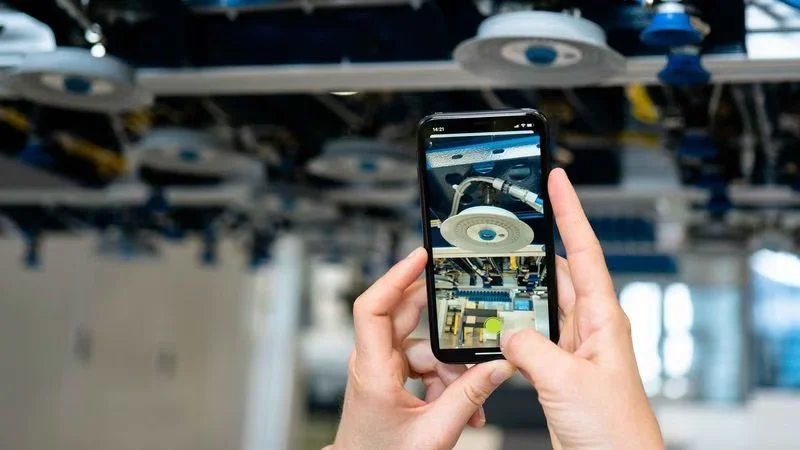
Once we have the picture, we have several ways to get eyes and hands on the problem without a drive.
Visual Assistance puts our technician into your line of sight. You share live video from a phone. We freeze frames, mark them up, and point at the exact connector, sensor, or fitting we mean. Pointing beats describing when both people stand in front of a machine full of similar-looking hardware.
Remote Support connects our technician straight to the machine control. From there, we read fault history, check parameters, run diagnostics, and often correct the condition and restart production while you watch.
Technical Guide hands the work to your operator with illustrated instructions tied to your specific error. Three checks performed by the person already standing at the machine often beat waiting for anyone to arrive.
Our technicians hold TRUMPF training and certification, and we work as an extension of the TRUMPF service organization. Cases beyond what we resolve locally escalate into TRUMPF Service App resources. You keep the same case, history, and people.
Sometimes the diagnosis lands somewhere other than the machine. Programming, nesting, part quality, and forming technique all throw symptoms that look mechanical from a distance. Our applications engineers take those cases. A machine running exactly as designed can still produce a problem worth solving.
When We Do Dispatch, What Happens Before The Truck Leaves
Some faults need hands-on hardware. Once we make that call, everything aims at arriving with what the job requires to finish in a single visit.
Before dispatch, we confirm the failed component or a short list of candidates, check what your configuration requires, and stage parts against that diagnosis. We schedule around your production window where the situation allows.
Maintecx provides same-week on-site TRUMPF repair across our territory, and our regional footprint makes that commitment realistic. Our field service engineers live and work in the states they cover.
The First Twenty Minutes On Your Floor
Our technician arrives with a hypothesis and tests it first. Remote diagnosis narrows the field, and confirming the fault in person closes it.

From there, they inspect the surrounding systems for contributing wear and perform the repair. Then they run the machine under real production conditions before calling the job finished. We want to watch your part come off the machine at tolerance and speed, on the program you were running when it stopped.
Every visit closes with documentation of what we found, replaced, and tested, and any condition worth watching over the coming months. A bearing showing early wear gives you a scheduling decision now instead of a surprise in November.
If your machines are connected, TRUMPF software pushes that same visibility upstream, flagging developing conditions before they stop anything. Shops running automation and storage systems get particular value here, since a stopped tower affects every machine downstream.
Ten Minutes That Change Your Whole Downtime Clock
The work you do between the stop and the call shapes everything after it. Here are five things you should do:
Photograph the control screen before anything else: Record the error number, message text, and any secondary alarms. This costs you eight seconds and routinely saves an hour.
Write down what the machine was doing: The operation in progress, program, material and thickness, and part number.
Note what happened just before: Unusual sound, vibration, smell, a change in cut quality or bend angle over the last several parts. Operators notice these things and then forget them by the time anyone asks.
List recent changes: New program, new tooling, different material supplier, a consumable swap, or a power event in the building. Failures cluster around changes.
Have your machine number ready: It lives on the machine plate. Finding it while we are already on the phone wastes the part of the call where we would rather be diagnosing.
Capture everything before you start troubleshooting. Once the machine gets power-cycled and cleared, your photo of the screen may hold the clearest record of what happened.
Deciding What To Do Right Now
A simple rule covers most situations.
Call us immediately when the machine displays an error you have not seen before, a fault repeats after clearing, you notice a change in part quality you cannot trace, or anything involving the laser source, cutting head, or optics looks wrong. Guessing at these costs more than calling.
Run your standard operator checks first when the condition matches something documented in your maintenance routine, and your team has resolved it before. Then call if it recurs, because a repeating fault is telling you something about a component rather than about that shift.
Shops that want the triage to start before the machine stops should talk with us about service agreements and condition monitoring. Both move the work upstream, where downtime is cheapest.
Your machine stopped, and the clock is running. Get in touch, and let's get a technician working on it.
